 Baseband
Your router, managed from your phone.
- Role
- Design and engineering, start to finish
- Built with
- Expo, React Native, Reanimated, Skia
- Price
- Free, supported by donations
- Links
- baseband.dalgoridim.com
I built the first Baseband in April, for my own MiFi. It talks to the router over its own Wi-Fi: no internet, no account and no server in between. In September I went back, audited it screen by screen, and redrew and rebuilt all of it, from the mark to the motion.
It started with an audit of my own app
I captured all 21 screens over adb against the real router and wrote down where they failed before drawing anything. Everything was a card, so the balance and a settings row weighed the same. Yellow marked icons, buttons, links and badges alike, so it pointed at nothing. States were never designed, only defaulted: a broken link opened a blank black screen. The rules for the redesign came straight from that list: one question per screen, never state more than is known, every state drawn.
Then the system, on one canvas: a mark in four rounds, IBM Plex Sans chosen over Geist, Space Grotesk and Inter Tight, and azure picked after every candidate was drawn in both themes. Blue then stopped meaning download in the speed chart, which moved to teal and violet.
Never state more than is known
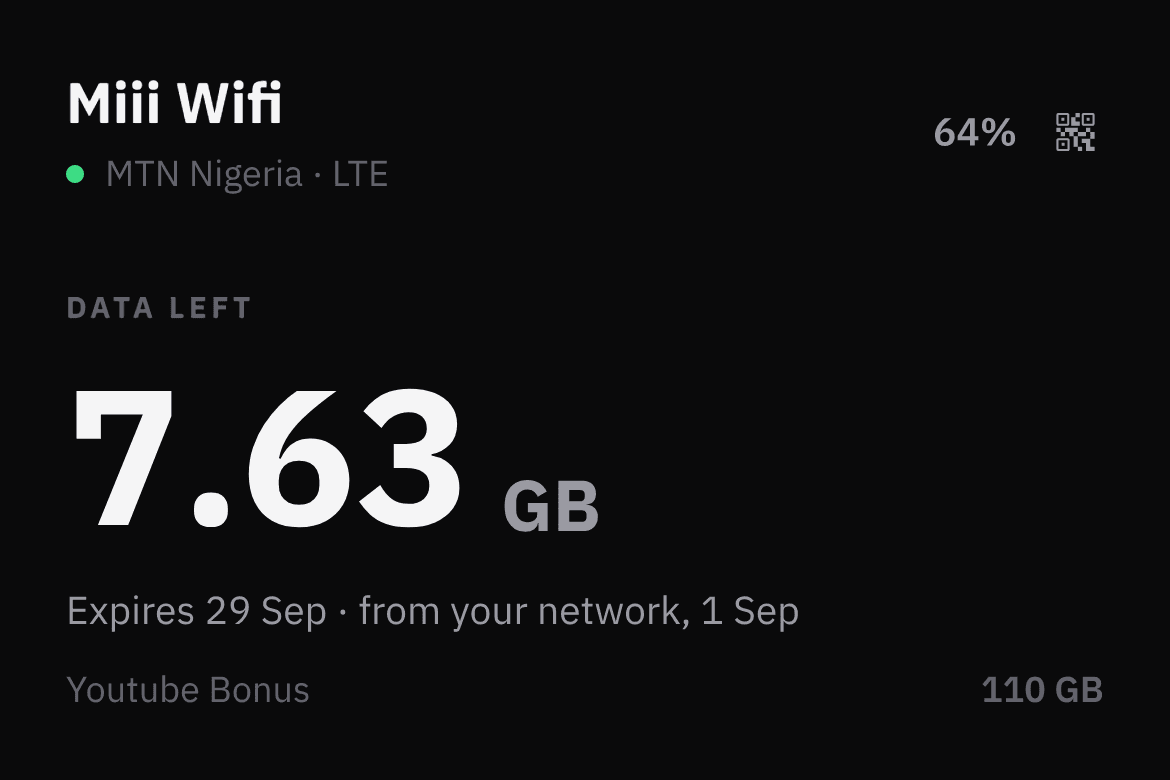
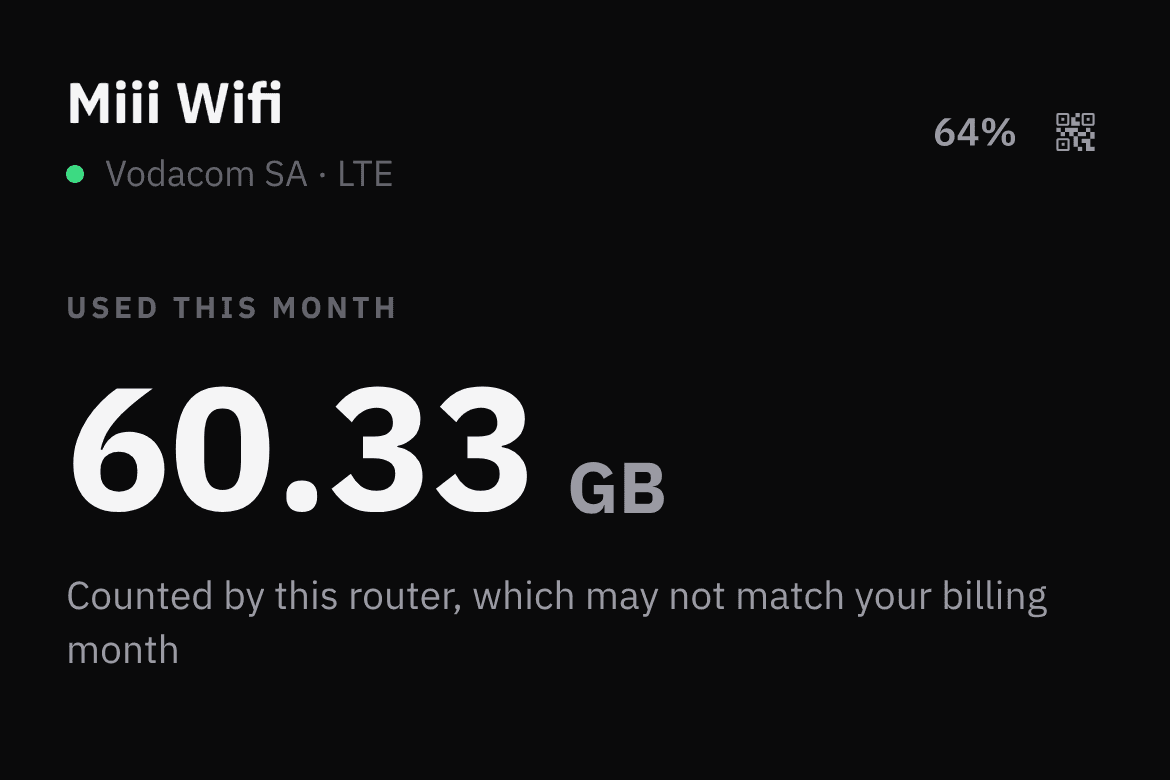
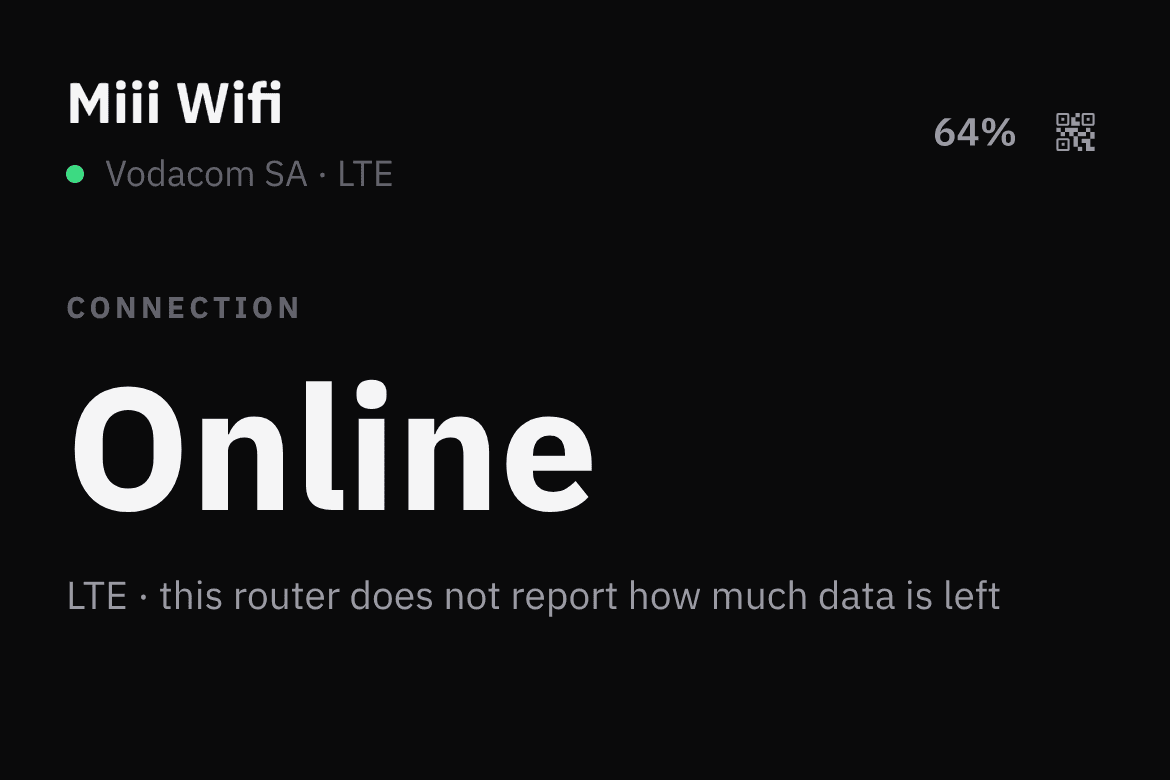
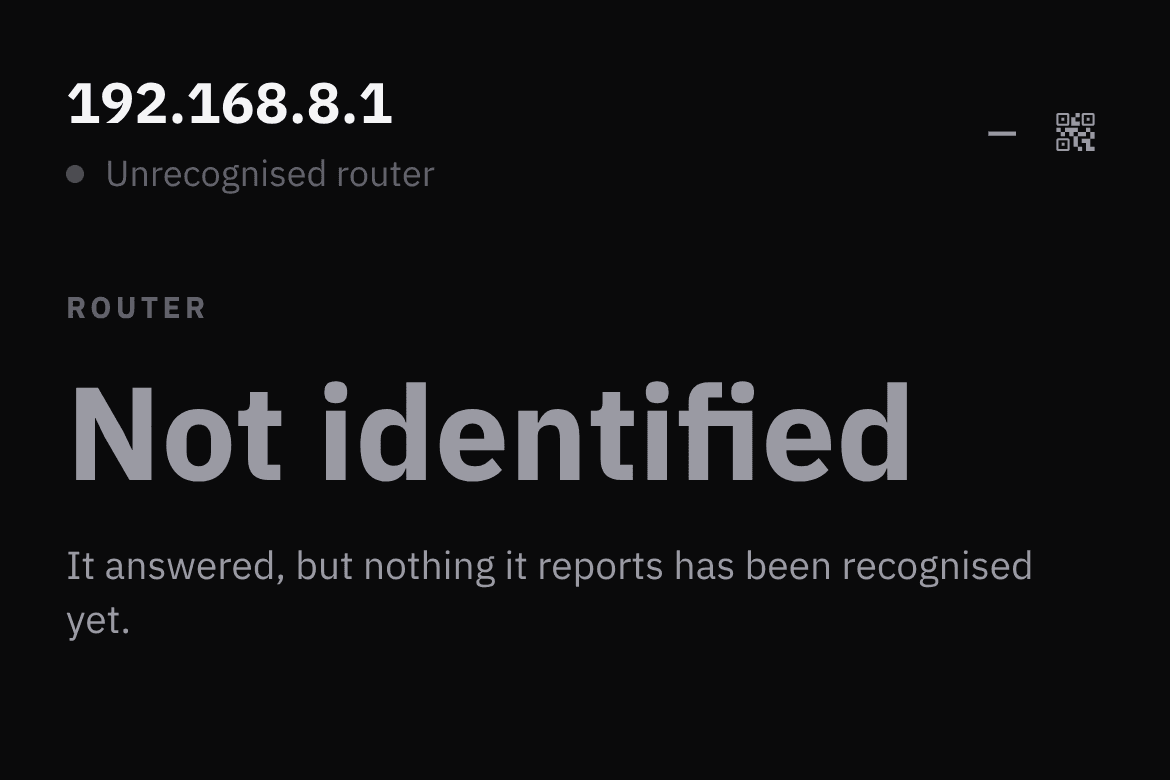
The hub used to lead with a data balance read from the carrier's SMS, which only works on a network the app knows. Everywhere else it showed an empty card apologising for itself. Now the headline walks down a ladder to the first thing it can actually answer: data left, else the router's own monthly counter, else the connection, else nothing is claimed at all. The counter says it's the router's, so nobody mistakes it for their bill, and a YouTube bonus is shown but never added to the total, because it won't open a web page.
export function resolveHeadline(input: HeadlineInput): Headline {
  const { carrierProfiled, balance, usage, status } = input;

  if (carrierProfiled && balance) {
    const usable = spendable(balance.bundles);
    if (usable.length > 0) {
      return { rung: "data-left", … };
    }
  }

  if (usage && usage.bytes > 0) {
    return { rung: "used-this-month", bytes: usage.bytes };
  }

  if (status?.reachable) {
    return { rung: "connection", … };
  }

  return { rung: "not-identified" };
}Unknown isn't unsupported
Capabilities were eleven booleans, so false meant three things at once: this model can't, we never found out, and we never wrote it. Now each one has four states and a reason. Unsupported stays on screen, disabled, with the reason under it. Unknown is offered with a small dot, and when the router carries it out it upgrades itself to supported, remembered by model and firmware so it survives a restart. Not written yet draws nothing. Deleting a message was the first write ever confirmed on this firmware.
One sheet under every drawer
The first drawers were hand-animated modals that travelled a fixed 400 or 600px and vanished the moment they were told to close, so they could never animate out. Every drawer now sits on one Sheet. It stays mounted until its exit finishes, travels exactly its measured height, follows the finger, and decides on release whether to close or spring back by projecting where the flick would land. It rides the keyboard frame by frame, never shrinks below the tallest state it has shown, and refuses the backdrop, the drag and Android's back while its own Cancel is disabled.
It leaves on a timed slide, not a spring. A sheet is its own native window, and a spring still settling after the sheet had gone kept that window up and swallowed the next tap. Opened from a tab, it once stood 83px too tall: the home indicator's 34 plus the tab bar's 49, inherited by the modal, so its inset now comes from the window itself.
const hide = useCallback(
  (velocity = 0) => {
    "worklet";
    leaving.set(true);
    …
    const distance = Math.max(0, height.get() - offset.get());
    const flung = velocity > 0 ? (3000 * distance) / velocity : Infinity;
    const duration = Math.max(
      Motion.sheetOut.min,
      Math.min(Motion.sheetOut.duration, flung),
    );
    offset.set(slide(height.get(), duration, done));
  },
  …
);One box that changes shape
Top up and Dial were two hand-animated sheets that kept the network's answer to themselves, so closing one lost the request, and the two could start competing sessions on a modem that holds one. They now share one session. Close and keep it running really keeps it: reopen either sheet and the answer or the menu is where it stopped. The answer is one box that changes shape between waiting, a menu to reply to and the answer, never a new box at a new size.
export const morph = LinearTransition.springify()
  .stiffness(Motion.spring.gentle.stiffness)
  .damping(Motion.spring.gentle.damping)
  .reduceMotion(ReduceMotion.System);

export const contentIn = FadeIn.duration(
  Motion.surfaceIn.duration,
).reduceMotion(ReduceMotion.System);Under the hood
A speed line drawn on the UI thread
The live trace is drawn with Skia from shared values. The first version, in SVG, re-parsed a path string every frame and loaded the phone. It spans the latest unbroken minute of readings, so the line always fills the width.
Speed that is actually measured
A capture proved the router's realtime counter equals the change in its byte counter each second, so the live speed is a real rate, read once a second apart from the slower status poll.
Native where the platform has it
On iOS the tab bar, headers, long-press menus and confirmations are the system's own; Android keeps the drawn design. Both share the same copy.
Room to unfold
A layout study for a foldable iPhone. Folded, the hub reflows wider and shorter. Unfolded, it splits into two equal halves so the fold falls between them, with your devices beside the hub. Same components and data, only reflowed.
It's free, supported by donations, and the drawer that asks for your router's address has a page of its own: A drawer that follows your thumb